
 Download Now
Sessions
Schedule deep work blocks in advance - or start blocking in one tap. Sessions are how focus becomes a daily habit.Check out appCut the noise, amplify your focus
Method backed by Neuro-Science
Habit Loop Theory
Session triggers good routines and replace bad ones
Pre-commitment
Automates decisions to reduce fatigue and temptation
Ego Depletion Theory
Prevents ego depletion by conserving willpower through scheduled focus
Circadian Alignment
Matches sessions to circadian rhythm for peak mental performance
Benefits of the features

42% longer focus hours with 3x task completion

31% more quality moments with loved ones

Maintain peak creativity with 58% less fatigue for consistent output

Enter flow state with 67% faster work rhythm
Frequently Asked Questions
What is a Session in Jolt?
A Session is a timed focus block where Jolt locks the apps you choose for a set duration. You pick the length, pick the apps to block, and Jolt enforces it - no notifications, no overrides. Sessions can be scheduled in advance or started instantly with Quick Focus. They're the core of how Jolt builds focus as a repeatable daily habit.
How is Quick Focus different from a regular Session?
A regular Session is customisable - you set the duration, choose which apps to block, and schedule it in advance. Quick Focus skips all of that. One tap starts a focus block immediately using your saved default settings. It's for moments when you need to focus right now and don't have time to configure anything.
Can I schedule Sessions to repeat daily?
Yes. Sessions can be set as recurring blocks - the same time, the same apps blocked, every day. This is the habit loop mechanism: a consistent trigger at a consistent time trains your brain to enter focus mode automatically, reducing the willpower needed to start.
What happens if I try to open a blocked app during a Session?
Jolt blocks access entirely for the duration of the Session. Depending on your chosen difficulty mode, you'll either see a breathing animation, a mental challenge, or a hard lock screen. There's no simple "ignore" tap - the block holds until the Session ends.
Ready to take control?
Try now on JoltExplore features: App Limits · Sleep Mode · Blocking Modes · Insights
How to use Sessions
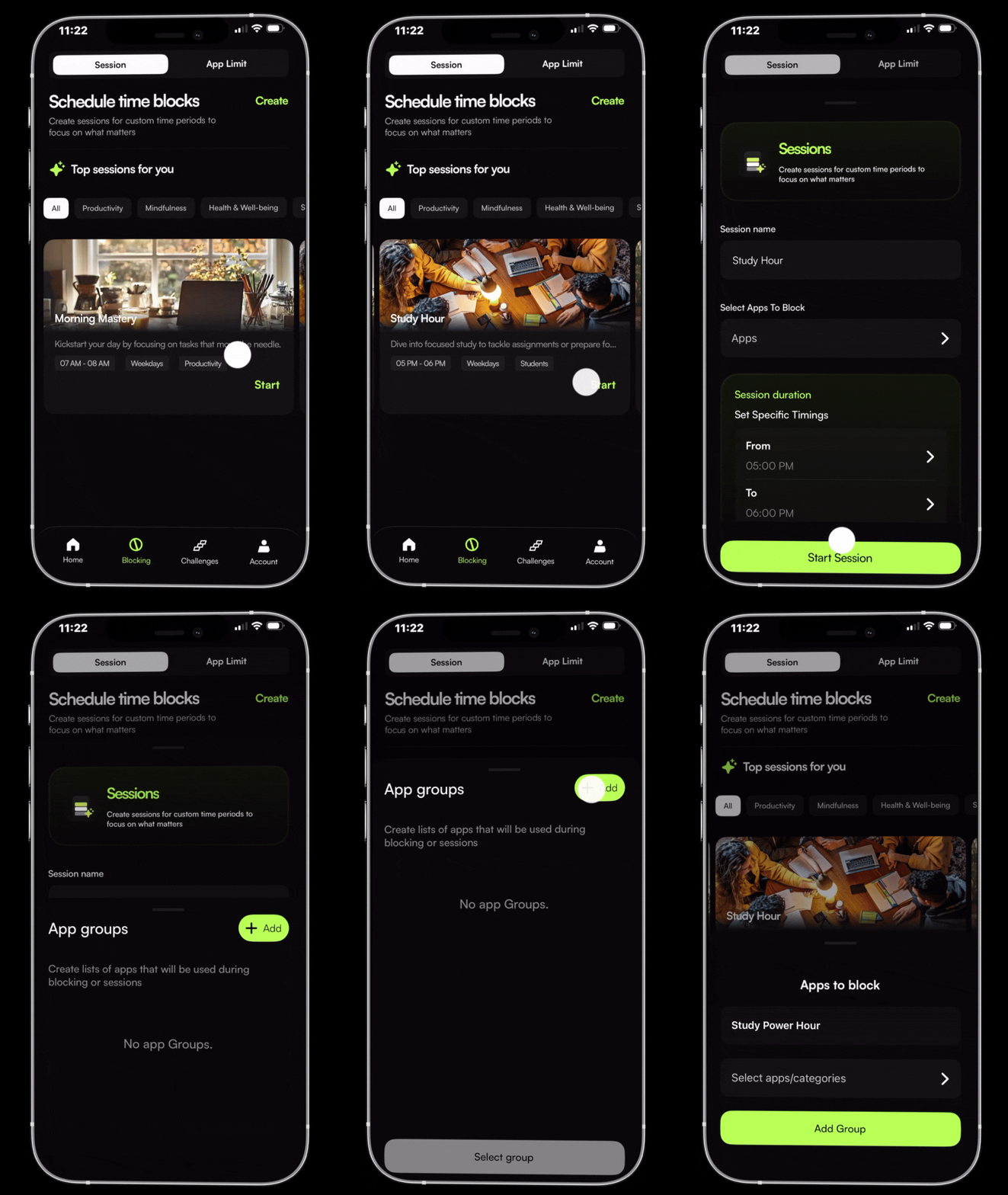
Sessions
Create a Session
Schedule a focused block in advance. Set the duration, choose which apps to block, and let Jolt lock in the plan before the day begins.
How to use Sessions
Create a Session
Schedule a focused block in advance. Set the duration, choose which apps to block, and let Jolt lock in the plan before the day begins.
Quick Focus
No plan. No setup. One tap - and your phone stops working against you. Quick Focus starts a block instantly using your default blocking settings. For the moments when you need focus right now.
As seen on





Your screen time won't fix itself.
Jolt blocks the apps, protects your sleep, and keeps you accountable. Free to start.
The person who shows up tomorrow is built in the next 90 minutes.
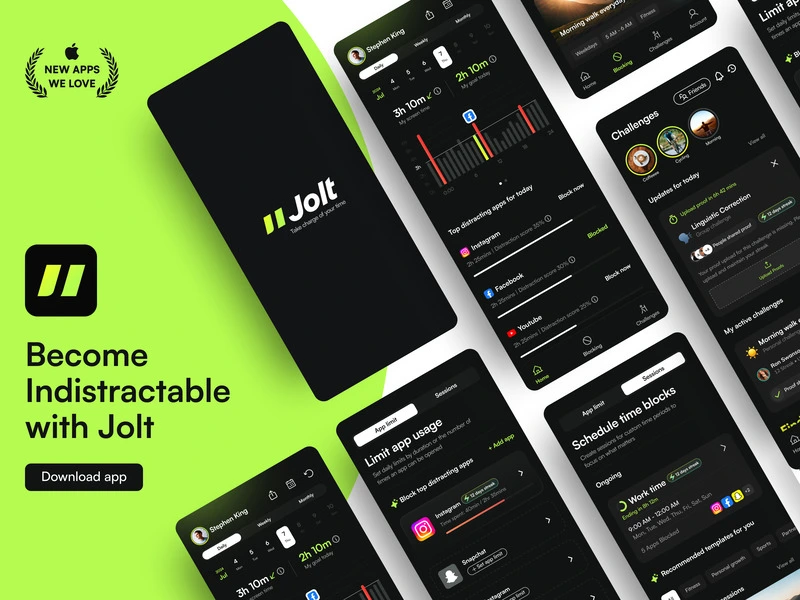
 Take charge of your time