 Download Now
The best app blockers for iPhone, ranked by how hard they are to cheat
A blocker is only as good as the moment you try to break it. Here are six for iPhone, ordered by how well each holds when you least want it to, with public data from September 2026.
 Try Jolt free
For the strongest all-round blocker, Jolt: hard blocks, a partner who sees your slips, and sleep protection. Want physical friction that's near-impossible to cheat? Brick. Blocking a laptop too? Freedom. Polished on Apple hardware? Opal. Free? ScreenZen or Apple's built-in.
Jolt
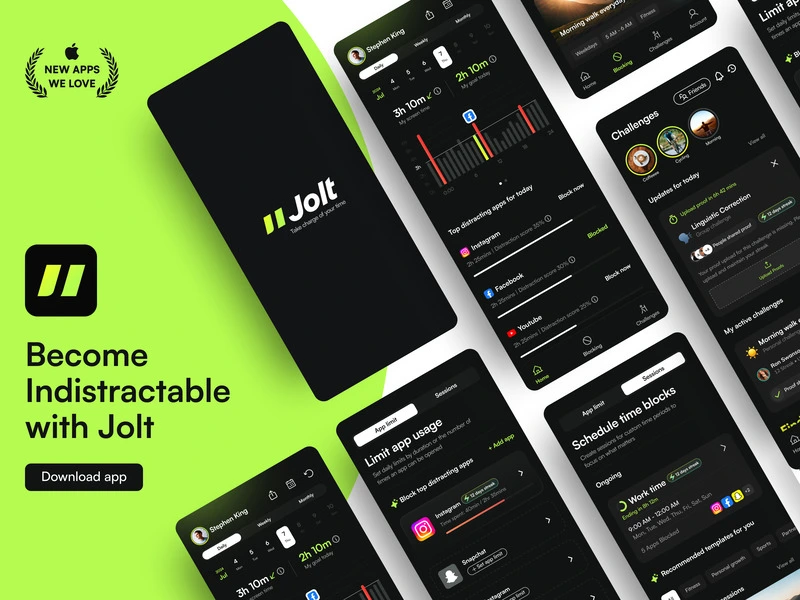
Best overall blockeriOS · 4.9 ★ · from $45/yrJolt's Hard Mode is built for people who override anything they can override: no snooze, no edit, no delete, and you can't roll back your clock to cheat it. Add a 1:1 accountability partner and sleep protection, and it's the most complete blocker here, at $45/yr or $70 lifetime.
Brick
Hardest to cheatiOS + $59 tag · one-timeA physical NFC tag you tap to lock your apps. If the Brick isn't in reach, the apps stay locked, and that's a wall software can't fully match. The trade-off is you buy it once ($59, no subscription) and have to be near it to unlock.
Freedom
Best for blocking a laptop tooiOS + desktop · 4.4 ★ · from $8.99/moThe blocker to pick when your distraction is spread across a Mac, a PC, and your phone. Locked Mode stops you quitting a session early, and it blocks every device at once. Sync can be inconsistent and it's all-or-nothing per site.
Opal
Best premium iOS blockeriOS + Mac · 4.7 ★ (~87K) · from $19.99/moPolished, established, and strong on Apple hardware. Its toughest anti-bypass mode, Deep Focus, holds well, but it's a Pro feature.
ScreenZen
Best free blockeriOS + desktop · 4.8 ★ · freeFree, with a clever escalating delay that grows the more you reach for an app, plus a lock mode. As a free, donation-funded tool it's lighter on hard enforcement, but it's the best no-cost option for most people.
Apple Screen Time
Free baselineBuilt into iOS · freeThe built-in option. App Limits and Downtime do the basics, and iOS 26 closed some old loopholes, but it's still the easiest here to override in the moment. Fine as a starting point, not as a wall.
The short version, side by side
| Blocker | Type | Hard to cheat? | From | Best for |
|---|---|---|---|---|
| Jolt | Software + accountability | Very high | $45/yr | Strongest all-round |
| Brick | Physical NFC tag | Highest | $59 once | Physical friction |
| Freedom | Cross-device software | High | $8.99/mo | Blocking a laptop too |
| Opal | Software (Pro) | High on Pro | $19.99/mo | Premium iOS |
| ScreenZen | Free software | Medium | $0 | Free option |
| Apple Screen Time | Built-in | Low | $0 | Light limits |
How to pick
You override everything
If you've deleted apps or changed the clock to beat a limit, you need Jolt's Hard Mode or Brick's physical tag. Nothing softer will hold you.
The problem is your computer
If the scrolling happens on a laptop, Freedom blocks every device at once. Phone-only blockers won't reach it.
You want free enforcement
ScreenZen is the strongest free blocker, and Apple Screen Time is a fine baseline. Expect lighter enforcement than the paid options.
Questions people ask
What's the best app blocker for iPhone in 2026?+−
For the strongest all-round enforcement plus accountability, Jolt. For physical friction that's hardest to cheat, Brick. For blocking a computer as well, Freedom. Free picks are ScreenZen and Apple Screen Time.
Which app blocker is hardest to bypass?+−
Brick, because a physical tap is hard to fake, closely followed by Jolt's Hard Mode, which blocks deleting the app and changing your clock. Free and built-in tools are the easiest to override.
Can you block apps on iPhone for free?+−
Yes. ScreenZen is a fully free blocker, and Apple's built-in Screen Time offers App Limits and Downtime at no cost. Paid blockers add stronger enforcement and accountability.
Do app blockers really work?+−
They work best when they add real friction and accountability, so the block holds in the moment you want to break it. Soft nudges help some people; determined users need enforcement like Jolt or Brick.
Want a blocker you can't talk your way past?
Jolt's Hard Mode removes the exits, and a partner keeps you honest. Sleep protection included. Free to start.
Keep comparing
Comparison maintained by the Jolt team. Pricing and ratings from public App Store and vendor sources, as of September 2026.
 Take charge of your time