
 Download Now
Which apps are actually running your day.
Total screen time per app, open counts, and week-on-week comparisons - against your own past, not an average.
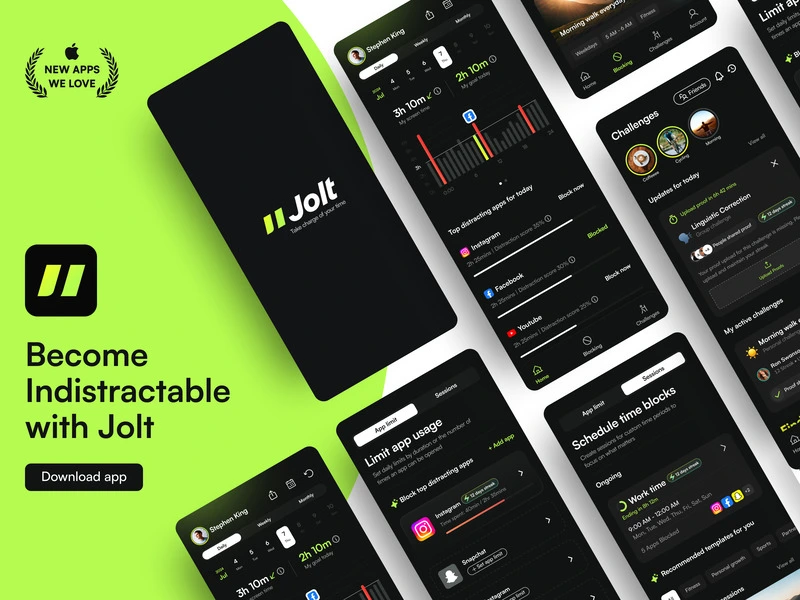
Download JoltJolt shows you total screen time per app, how many times you opened each one, your weekly totals, and how this week compares to last. It also compares you to your own past - not to a population average - because the only benchmark that matters is the version of you from last week. Most people are wrong about which apps drain them most. The data is almost always more specific, and more confronting, than the assumption.
Rooted in Awareness Precedes Change - quantified self-knowledge is the prerequisite for behavioural intervention. You can't change what you can't see.
How to set up Usage Insights
Open the Insights tab
Go to Insights in Jolt. Your screen time per app is shown with total minutes and open counts for the current week.
Compare to last week
Tap any app to see this week vs. last week. The trend arrow tells you if you're improving or drifting.
Use the data to tighten your rules
See a spike in an app you thought you'd controlled? Create an app limit directly from the Insights screen.
Your screen time won't fix itself.
Jolt blocks the apps, protects your sleep, and keeps you accountable. Free to start.
 Take charge of your time