How to Block Reddit on iPhone? Simple & Effective Methods to Stay Focused
10-minute read
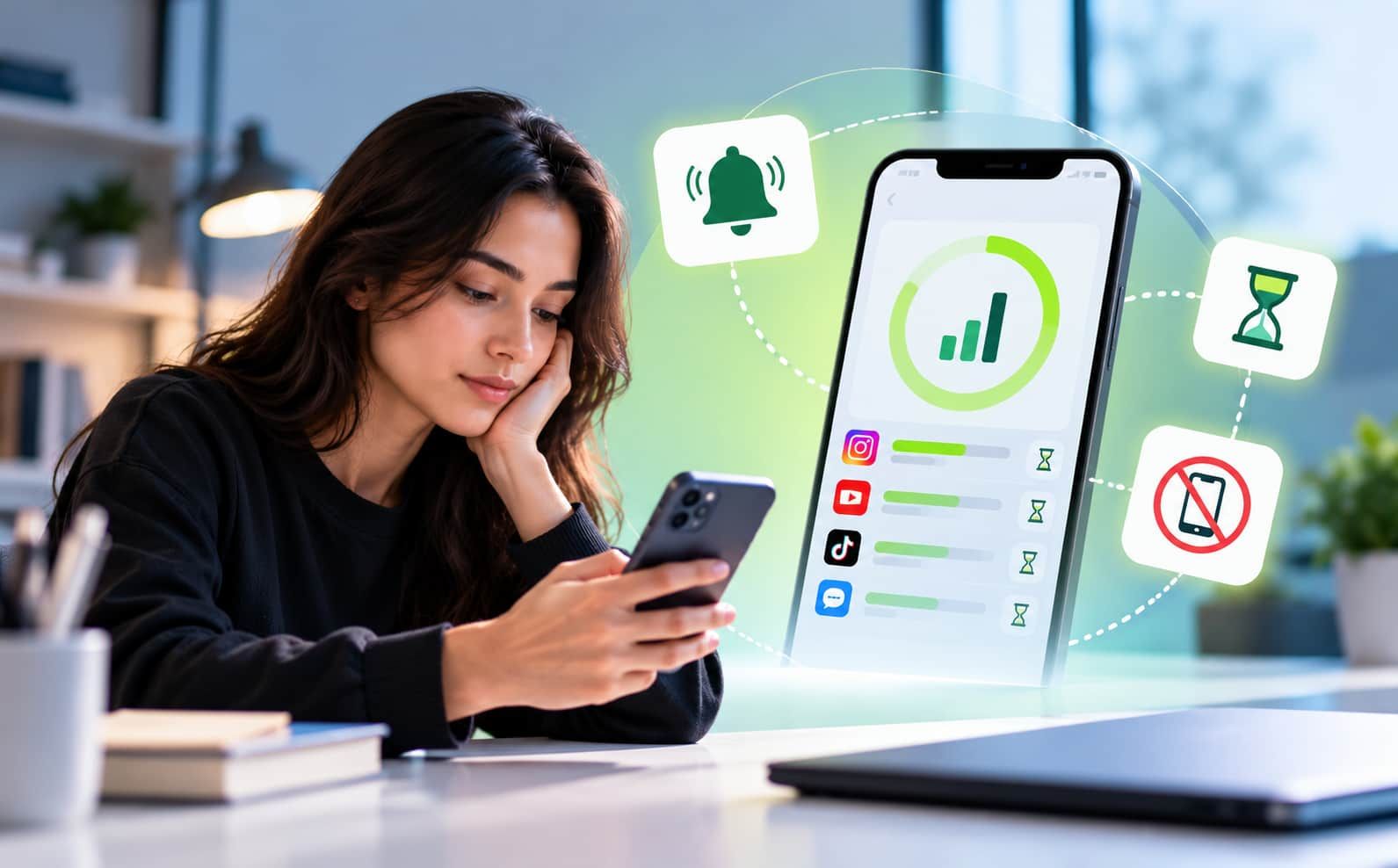
Overview: Are you weary of spending all of your time surfing through Reddit rather than completing tasks? It's time to take charge. This post explains how to use straightforward settings, clever limitations, and effective methods to block Reddit on iPhone. You can reduce distractions, increase productivity, and develop better screen habits in a few simple steps, all without requiring technical know-how or a difficult setup procedure.
How to Block Reddit on iPhone? Step-by-Step Guide to Restricting Access
Want to take back control of your time and cut distractions? Blocking Reddit on your iPhone is easier than you think, and it can make a big difference!
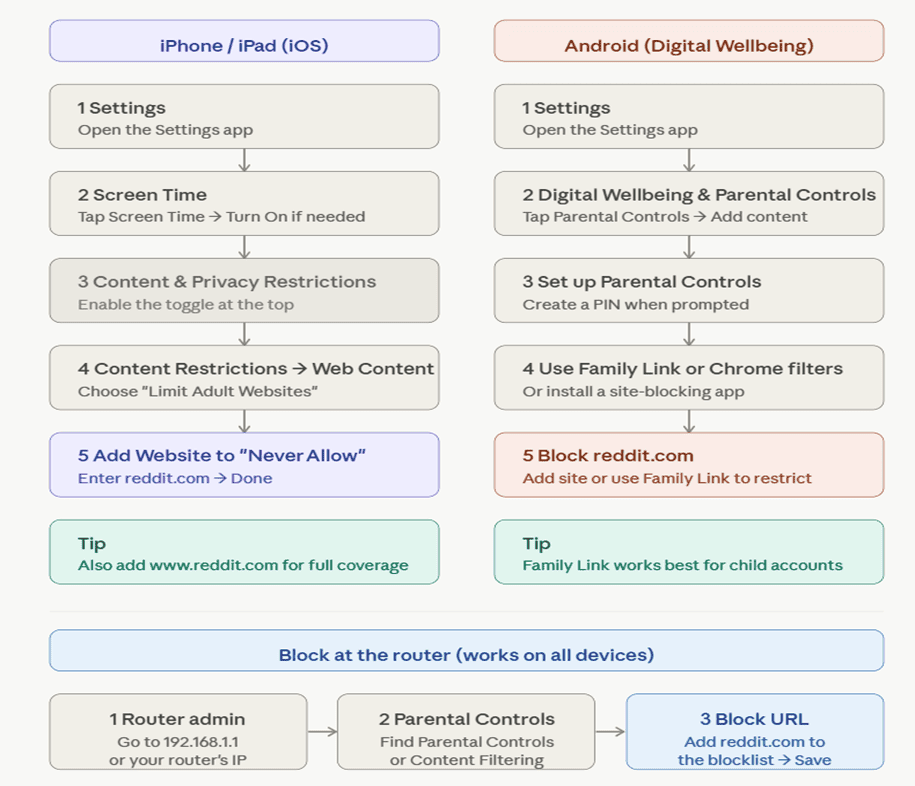
Start by opening Settings → Screen Time → Content & Privacy Restrictions. Turn it on, then tap App Store, Media, Web & Games → Web Content. Choose Limit Adult Websites, and under “Never Allow,” add reddit.com.
Next, you can remove the Reddit app from your phone or restrict it via App Limits inside Screen Time. For stronger blocking, install apps like Jolt & add Reddit to the blacklist. You can also use DNS services like CleanBrowsing for network-level blocking.
With these steps, you’ll reduce distractions and stay focused on what truly matters.
Using Content & Privacy Restrictions to Block Reddit
Here's a step-by-step visual guide for blocking Reddit using Content & Privacy Restrictions, covering both iPhone and Android.
One thing to keep in mind: these blocks apply to browsers only. These browser blocks don't cover the Reddit standalone app. If the Reddit app is installed, you'll also want to delete it or block it. If you're looking for a more complete way to block Reddit on iPhone, tools like Jolt can help. Jolt is a dedicated iOS screen time app that blocks distracting apps like Reddit with focus sessions, customizable schedules, and an unbreakable mode so restrictions can't be bypassed.
How To Block Reddit on Safari?
Do you want to browse without being distracted? Here's how to use Safari to ban Reddit. Go to Web Content and add reddit.com under "Never Allow" after opening Screen Time and turning on Content & Privacy Restrictions. This immediately prevents access. On macOS, you can also change the hosts file to reroute the website and stop it from loading.
Use DNS filtering services or router settings for more robust control. These techniques guarantee that Reddit remains unreachable. While the hosts file or network-level filtering offers a more long-lasting solution across devices, Screen Time is the simplest option for quick deployment.
Parental Control Methods to Restrict Reddit on iOS
Reddit can be hard to stop scrolling once you start. If you want to limit it on an iOS device, there are several easy ways to do that right from your phone's settings.
- Screen Time – Web Content Filter: Go to Settings → Screen Time → Content & Privacy Restrictions → Web Content. Select "Limit Adult Websites" and add reddit.com under Never Allow. This blocks Reddit in Safari and most browsers.
- App Limits: Under Screen Time, tap App Limits → Add Limit. Search for the Reddit app by name and set a daily time limit of 1 minute, effectively blocking it.
- Communication Limits: Restrict who your child can contact and limit app usage during downtime hours, indirectly reducing Reddit access.
- Downtime: Set scheduled hours when only approved apps are available. During Downtime, Reddit, both the browser and app, becomes inaccessible.
- Always Allowed: Control exactly which apps remain accessible at all times, ensuring Reddit is never on the permitted list.
- Screen Time Passcode: Lock all the above settings with a separate passcode so restrictions can't be changed without your approval.
- Jolt App: For stronger, harder-to-bypass control, Jolt lets you block the Reddit app directly with focus sessions and an unbreakable mode. Visit thejoltapp.com.
How to Block Reddit Using Third-Party Apps on iPhone?
Your iPhone's built-in Screen Time settings are a good start, but third-party apps like Jolt give you stronger, harder-to-bypass control, especially useful if willpower alone isn't cutting it.
Jolt Screen Time App
Jolt is one of the most effective options for blocking Reddit on iPhone. Once set up, you can block the Reddit app directly by name, set daily focus sessions, and activate an unbreakable hard mode that prevents you from overriding your own restrictions mid-session. It also tracks your screen time habits and sends you insights so you can see exactly how much time Reddit is taking up.
The key difference between built-in Screen Time and third-party apps like Jolt is flexibility and accountability. Apps like Jolt go a step further by making restrictions genuinely difficult to bypass, which is what makes them worth considering alongside Apple's native tools.
FAQs
How to block Reddit on Chrome?
You can block Reddit on Chrome using extensions or settings:
- Install a site blocker, then add reddit.com to the block list.
- Use Chrome’s supervised profiles or parental controls.
- Edit your system’s hosts file to block Reddit across all browsers.
How to block websites on iPhone without Screen Time?
You can block websites on an iPhone without using Screen Time by using DNS or third-party apps (like Jolt). Install a content-blocking app and configure filters. Alternatively, change DNS to services like OpenDNS or CleanBrowsing to restrict sites. You can also block sites via your Wi-Fi router settings for all devices.
How to block Reddit on a phone?
To block Reddit on a phone, use built-in tools or apps. On Android, enable Digital Wellbeing or install a blocker like BlockSite. On iPhone, use Screen Time → Content & Privacy → App Limits or block the website. You can also restrict it via parental controls, third-party apps like Jolt, or router-level blocking for stronger control.
How to block a website on Firefox?
To block a website in Mozilla Firefox, install an extension from Add-ons, then add the site URL. Alternatively, edit your system’s hosts file to redirect the website, permanently blocking it across all browsers.
Conclusion:
Blocking Reddit on your iPhone isn’t just about restriction; it’s about reclaiming your focus and time. With built-in settings, smart limits, and powerful third-party tools like Jolt, you can take control of your digital habits effortlessly. Start small, stay consistent, and you’ll notice a big difference in productivity, clarity, and how you spend your day.
Ref:

 Download Now
 Take charge of your time