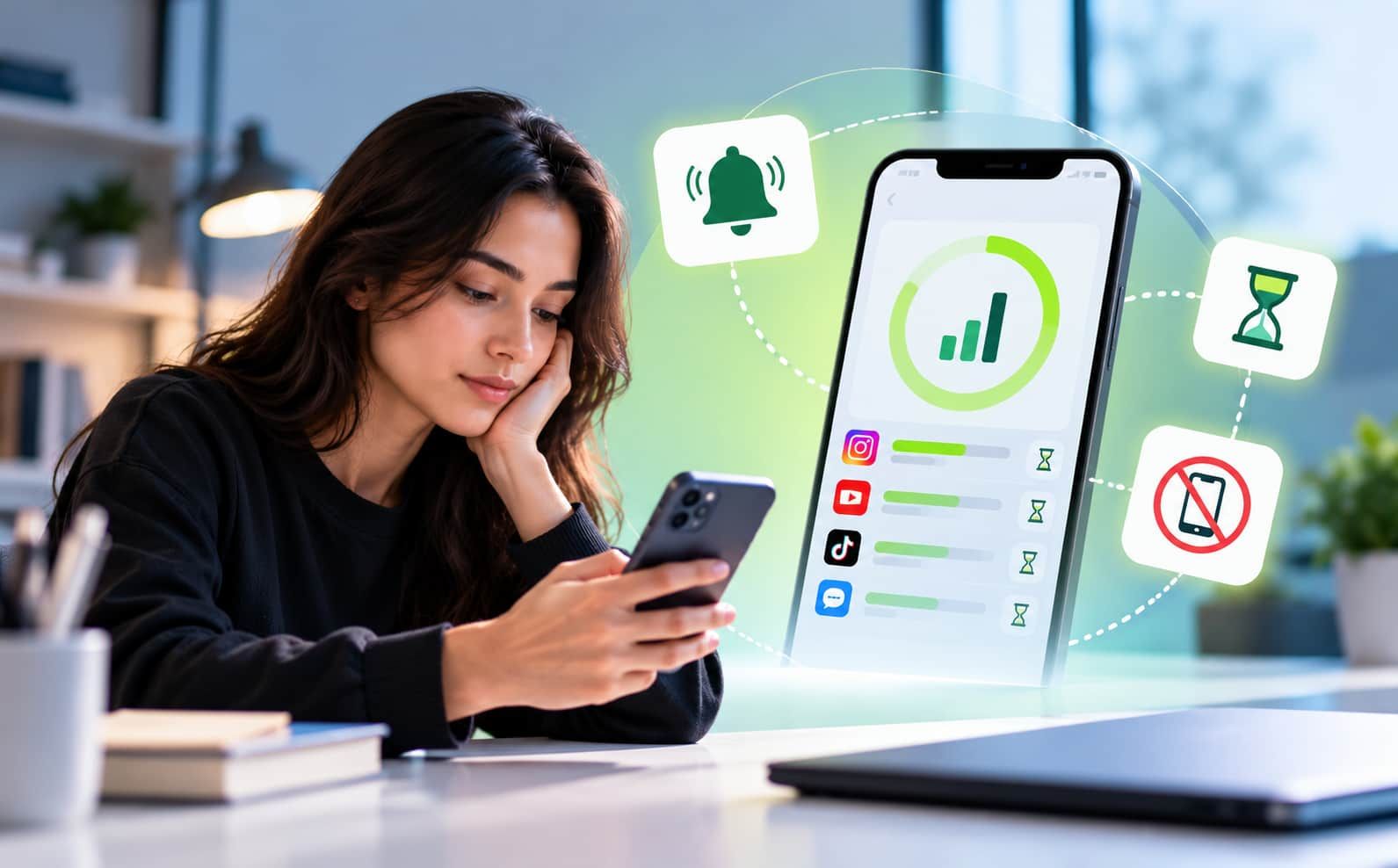
The Science Behind Screen Time App Alerts and Usage Limits
Digital behaviour today is not random. It follows patterns driven by psychology, habit loops, and brain responses. In this environment, a
Screen Time App is not just a tool. It is a system built on science. Alerts,
limits, and restrictions are designed using behavioural research to help people regain control over their time.
This article explains the real science behind how alerts and usage limits work, and why they are effective.
Understanding the Science of Screen Time App Alerts and Usage Control
The Brain and Digital Habits: Why We Get Addicted
Human behaviour follows a simple loop:
Cue → Action → Reward
When a phone vibrates, it creates a cue. The user checks the phone. This leads to a reward, such as a message, like, or new content. Over time, this loop becomes automatic.
This is why people:
- Check phones without thinking
- Scroll longer than planned
- Feel the urge to open apps frequently
The brain starts expecting rewards from digital content. This makes self-control difficult.
Why Alerts Work: The Science of Interruption
When a user receives an alert like:
- “You have used Instagram for 30 minutes”
- “Time to take a break”
It breaks the habit loop.
This works because:
- It creates awareness
- It interrupts automatic behaviour
- It forces the brain to pause and think
APA shows that interruptions reduce repetitive actions and increase conscious decision-making.
Without alerts, users stay in “auto mode.” With alerts, they shift to “control mode.”
The Role of Awareness: Data Changes Behaviour
A screen time tracker app shows real usage data. This is important because people often underestimate their screen time.
Studies suggest that
tracking behaviour increases the chances of behaviour change. When users see actual numbers, they become more aware of their habits.
For example:
- A user thinks they spend 1 hour daily
- The app shows 4 hours
This gap creates a strong psychological effect. It pushes users to reduce usage.
Awareness is the first step. Control comes next.
Why Usage Limits Are So Effective
Usage limits are based on a concept called precommitment.
Precommitment means:
- Deciding limits before temptation starts
An app that limits screen time allows users to:
- Set daily limits
- Lock apps after usage
- Create strict boundaries
This works because:
- Decisions are made when the mind is calm
- Control happens before temptation
Once the limit is reached, the
app blocks access. This removes the need for willpower.
The Science of Loss Aversion
Usage limits also work because of loss aversion.
Loss aversion means:
- People fear losing something more than gaining something
When an app gets locked:
- The user feels restricted
- This creates discomfort
This discomfort teaches the brain:
- Overuse leads to loss
- Controlled use prevents loss
Over time, the brain adjusts behaviour to avoid this negative feeling.
Why Blocking Is More Powerful Than Reminders
Simple reminders are weak. Blocking is strong.
A best screen time control app uses blocking instead of just warnings.
For example:
- Reminder: “You should stop using the app”
- Blocking: “The app is now locked”
Blocking works better because:
- It removes access completely
- It prevents impulsive decisions
- It creates forced discipline
Research shows that reducing accessibility reduces usage automatically.
When something is harder to access, people use it less.
The Role of Habit Replacement
Screen time control is not just about stopping usage. It is also about replacing habits.
When a Screen Time App blocks apps:
- Users look for alternative activities
- They switch to studying, reading, or resting
Over time:
- The brain forms new patterns
- Old habits weaken
Alerts and Dopamine Reset
Social media apps increase dopamine levels in the brain. Dopamine is linked to pleasure and reward.
Frequent usage leads to:
- Higher dopamine spikes
- Increased craving for stimulation
Alerts and limits help reduce this cycle.
When usage decreases:
- Dopamine levels stabilize
- Cravings reduce
- Focus improves
This process is often called a dopamine reset.
Why Time-Based Limits Work Better Than Self-Control
Self-control depends on mental energy. It reduces over time.
Usage limits do not depend on mental strength. They depend on systems.
A best screen time app:
- Sets fixed rules
- Applies them consistently
- Removes emotional decisions
This is why systems are more reliable than motivation.
The Science of Environmental Design
Behaviour is strongly influenced by the environment.
If apps are easily accessible:
If apps are restricted:
An app for screen time changes the digital environment by:
Research shows that increased friction reduces unwanted behaviour.
This is why even small barriers can create big changes.
Impact on Sleep and Cognitive Function
Screen usage, especially at night, affects sleep cycles.
Research shows that excessive screen exposure is linked with:
- Reduced sleep quality
- Delayed sleep patterns
- Lower cognitive performance
A screen time monitoring app helps by:
- Setting night limits
- Blocking late usage
Better sleep leads to:
- Better memory
- Better focus
- Better decision-making
Behaviour Change Matrix
| Feature | Scientific Principle | Result |
|---|
| Alerts | Interruption theory | Increased awareness |
| Usage Limits | Precommitment | Better control |
| Blocking | Reduced accessibility | Lower usage |
| Tracking | Behaviour feedback | Habit awareness |
| Sleep Mode | Circadian alignment | Better rest |
This shows that every feature is based on science, not guesswork.
Conclusion
Alerts and usage limits are not simple features. They are based on deep behavioural science. They use principles like habit loops, interruption, precommitment, and loss aversion to control digital behaviour.
The
best screen time control apps help users move from unconscious usage to controlled habits. It reduces distractions, improves focus, and supports better mental health.
Instead of relying only on willpower, people can use systems designed with science.
Jolt helps users take control of their behaviour and build healthier digital habits in a structured way.
Frequently Asked Questions
1. How do alerts in a Screen Time App help control usage?
Alerts create awareness by interrupting usage, reminding users about limits, and helping them pause before continuing unnecessary screen activity during the day.
2. Why are usage limits important in a screen time tracker app?
Usage limits set clear boundaries, reduce overuse, and help users manage time better by restricting access after reaching the defined daily limits.
3. What makes the best screen time control app effective?
The best screen time control app combines alerts, blocking features, usage tracking, and strict limits to help users build strong digital habits.
4. Can a screen time monitoring app reduce phone addiction?
Yes, a screen time monitoring app reduces addiction by limiting access, breaking habit loops, and encouraging controlled and mindful phone usage patterns daily.
5. Is an app for screen time better than self-control alone?
Yes, an app for screen time provides structured control, removes temptation, and supports consistent behaviour change, which is harder to achieve with self-control alone.

 Download Now
 Take charge of your time