Top 5 Opal Alternatives for Blocking Apps and Reducing Screen Time
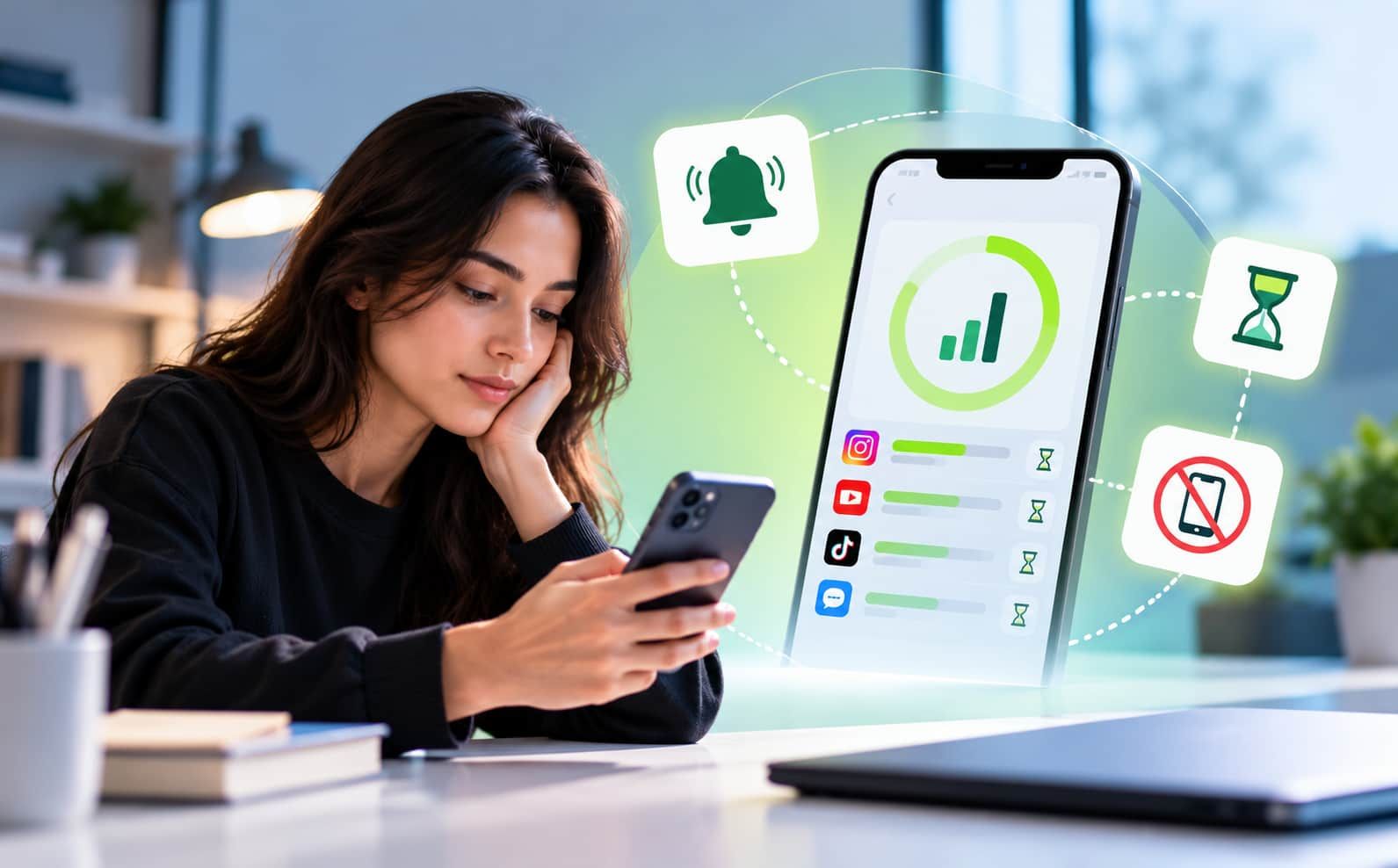
Phones make life easier, but they also steal more time than we realise. You may open Instagram for one message and end up watching reels for half an hour. The same thing can happen with YouTube, games, news apps, and online shopping.
Opal is a popular screen-time app that uses friction screens and rewards like gems to make focus feel more engaging. It helps users pause before opening distracting apps.
But lasting change often needs more than a simple block. Behaviour-based tools, stronger limits, sleep controls, and accountability can help people manage screen time more effectively in the long run.
5 Best Opal Alternatives to Block Apps and Cut Down Screen Time
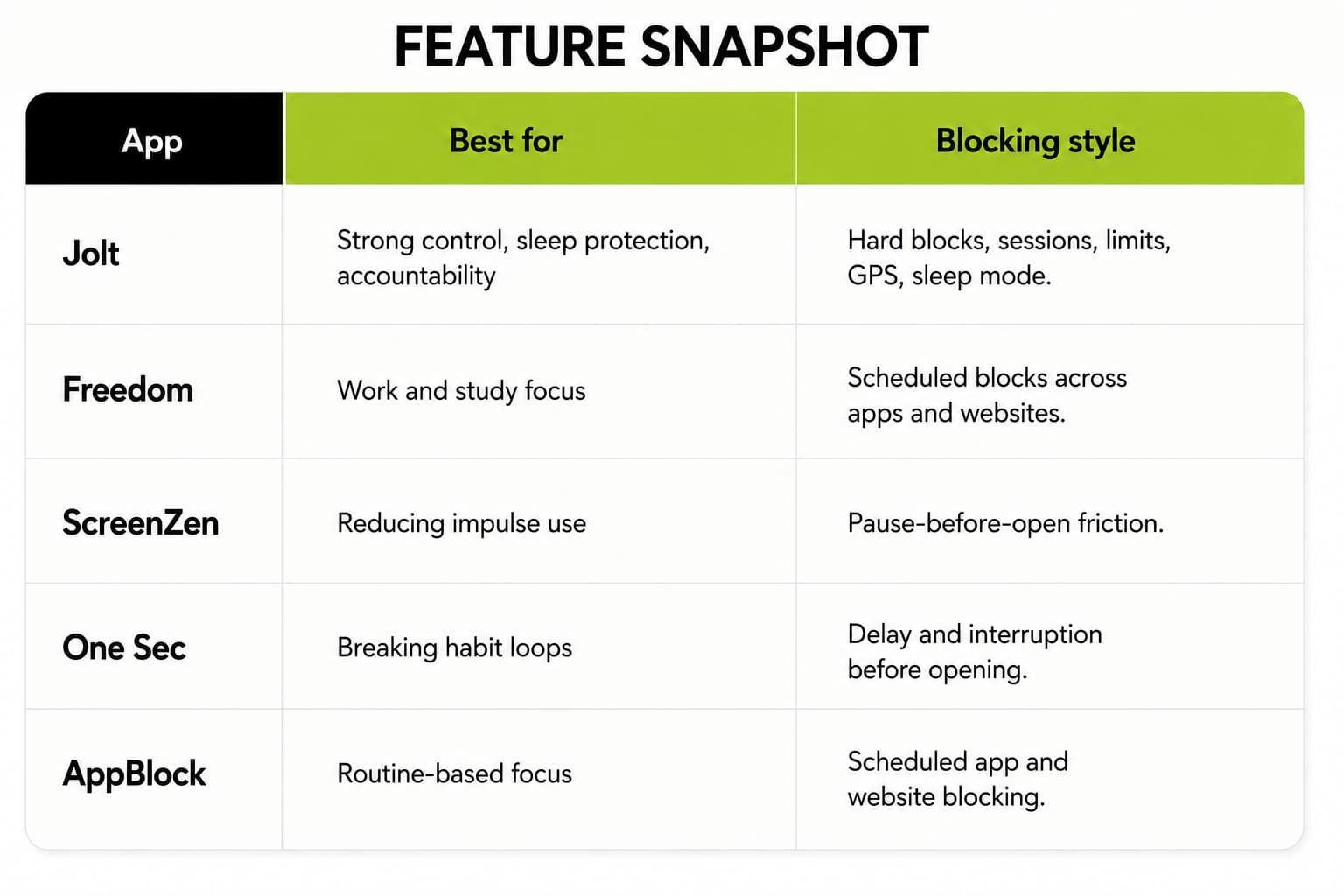
1. Jolt
Its App Limits can lock an app after a time cap, and its Hard Mode is designed so limits cannot be edited or turned off until the next day.
The type of user it suits best:
- People who keep turning off normal app blockers
- Students who need distraction-free study time
- Professionals who want stricter work sessions
- Users who scroll late at night
- Parents or partners who want accountability support
For example, a student can
block Instagram,
YouTube, and games from 7:00 PM to 10:00 PM while studying.
Sleep Mode can then restrict the same apps at bedtime. If the student tries to unlock them, an Accountability Partner may need to approve the request.
Jolt also makes the process very simple. You can set a session, choose the apps, and start blocking in one tap. The app is free to start, and it is designed to work locally through Apple’s Screen Time API, with no personal data leaving the device.
Reason Jolt stands out is the combination of strict blocking and outside accountability. Many blockers depend only on self-control, which can be difficult when the urge to scroll becomes strong. Jolt adds extra barriers, making it more useful for people who regularly ignore or change their own screen-time limits.
Useful features include:
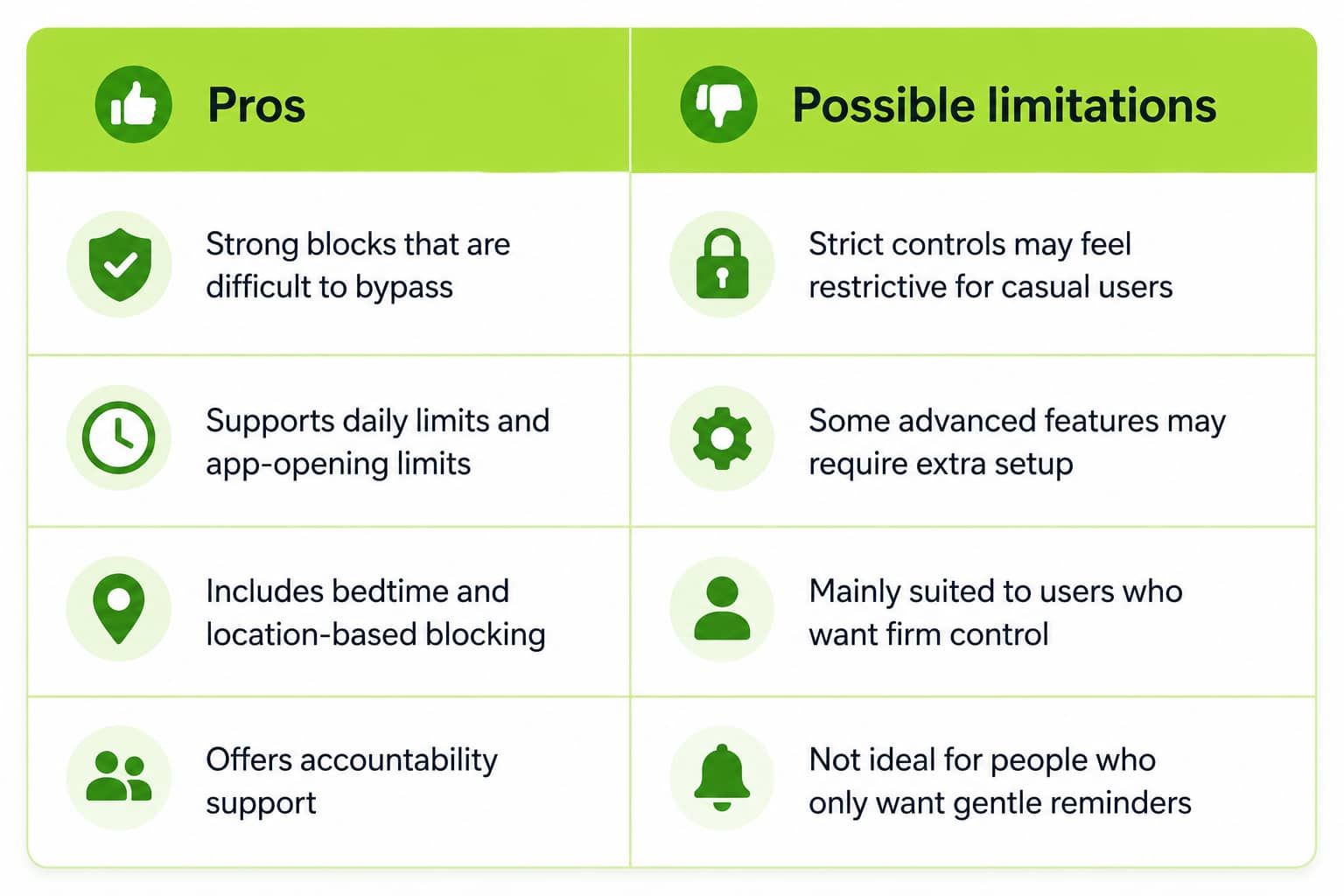
- Hard Mode for blocks that are difficult to bypass
- Sleep Mode to stop late-night scrolling
- Daily time and app-opening limits
- GPS Blocking for places like offices, gyms, or libraries
- Good Apps First, which encourages productive app use
- An Accountability Partner who approves unlock requests
- Focus scores, sleep reports, and screen-time insights
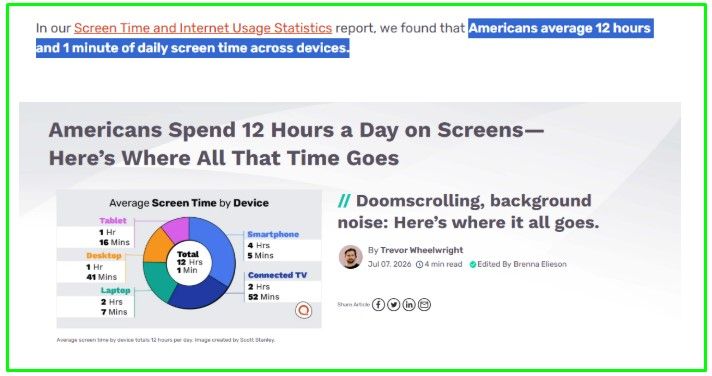
A good reason to use a tool like Jolt is that screen habits are often bigger than people think. Recent 2026 screen time reporting says Americans spend about 12 hours and 1 minute on screens every day, which shows why a blocker must be easy to use and hard to bypass.
Privacy can also be an important reason to consider Jolt. The app is designed to manage restrictions through Apple’s Screen Time system, so users can
control distracting apps without sharing unnecessary personal activity data. This may appeal to people who want screen-time support while keeping their usage information private.
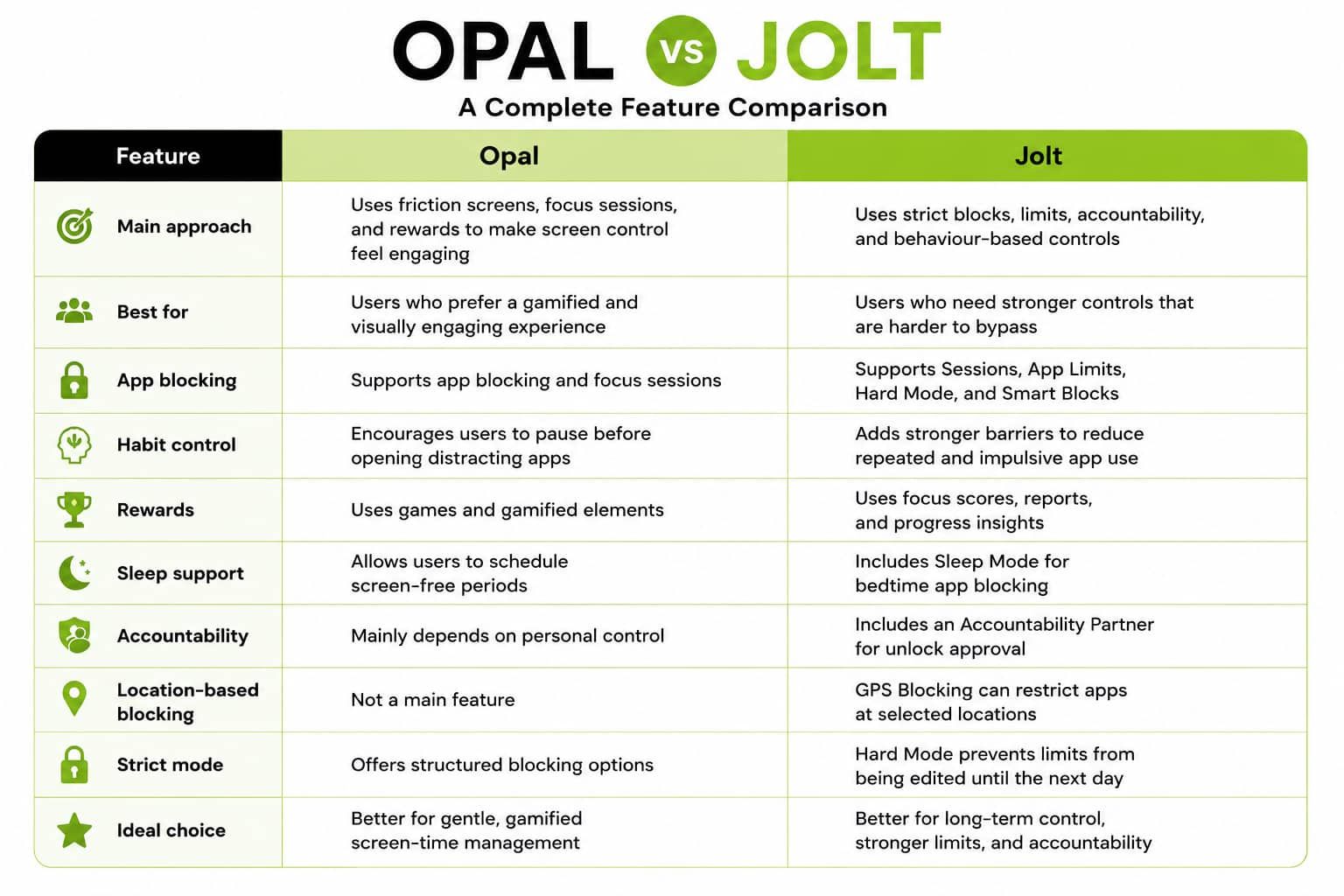
Opal vs Jolt
2. Freedom
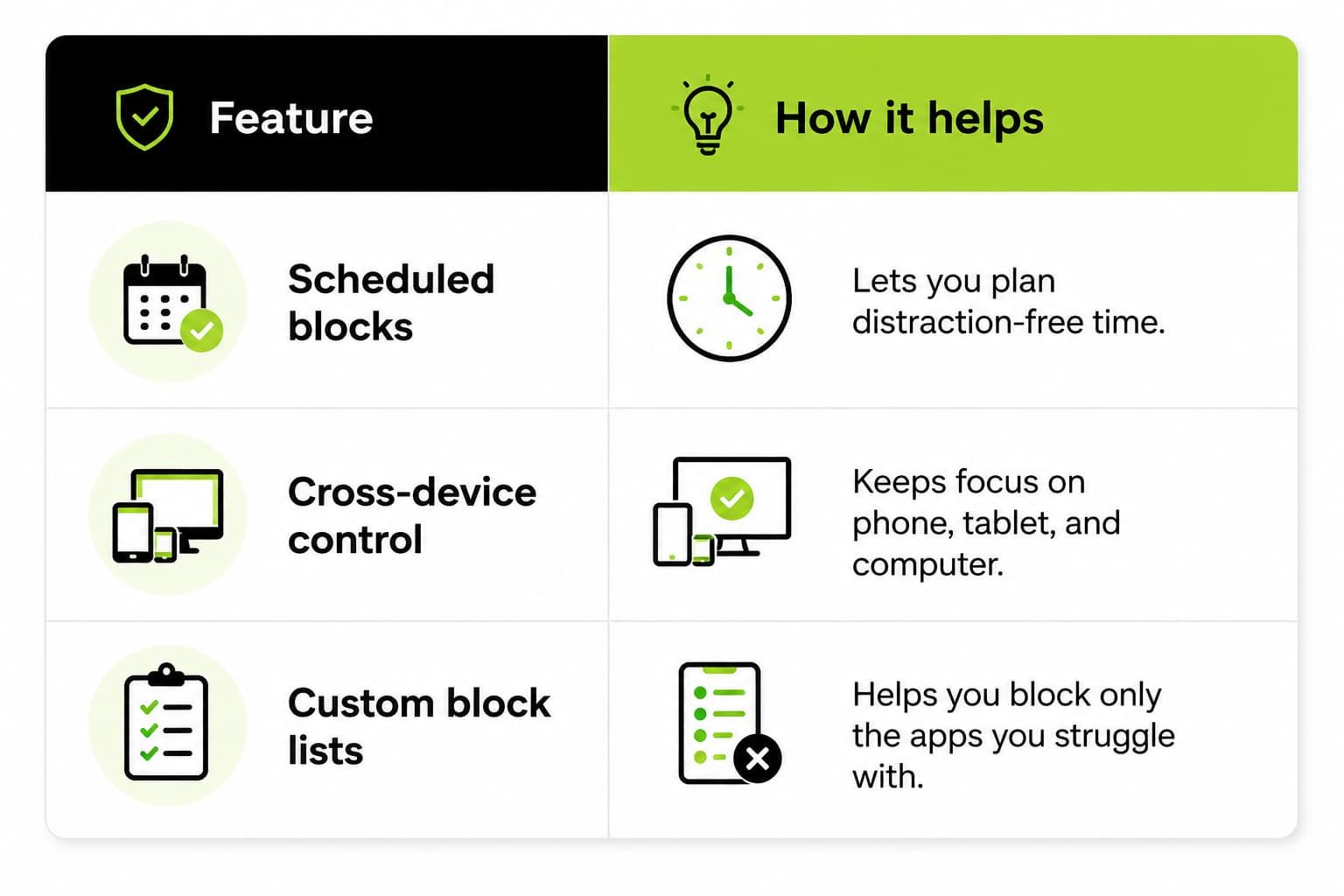
Freedom is a solid Opal alternative for people who want blocks across apps, websites, and devices. It is often used for deep work, study, and distraction control because you can start a blocking session and stay off the apps that pull your attention away.
This tool works well when you need structure rather than strict punishment.
For example, you can block social media during work hours, then allow it later for a planned break. That kind of schedule is useful if you want balance and still need some flexibility in daily life.
3. ScreenZen
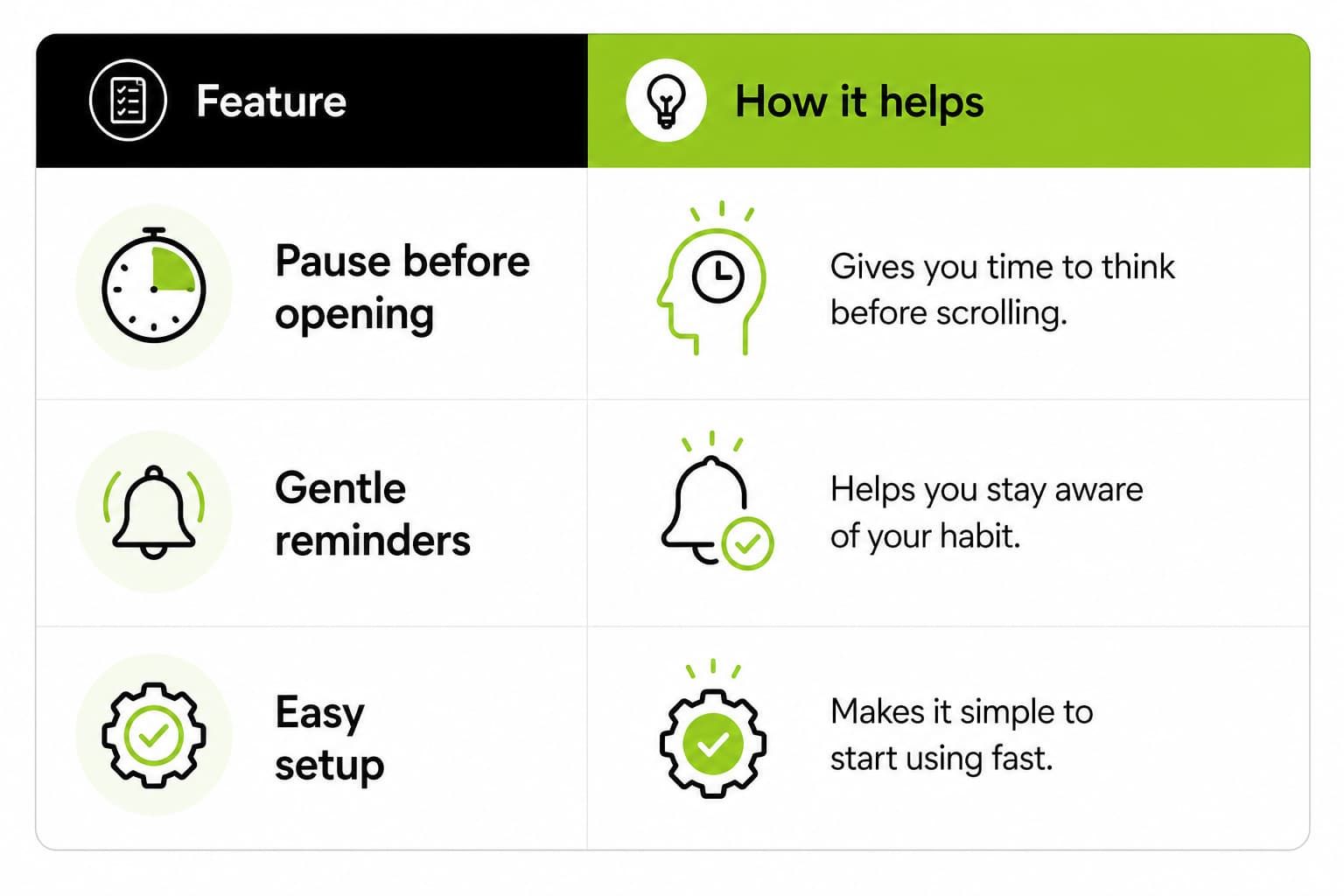
ScreenZen is a good choice if you want more friction before opening distracting apps. Instead of only blocking, it adds a pause that makes you stop and think before scrolling. That small delay can help when your main problem is habit, not access.
This style works well for people who do not want a fully locked phone all the time. For example, if you open Instagram out of habit, a pause gives you one more moment to decide whether you really want to do it. Simple friction like this can be enough to cut mindless use.
 4. One Sec
One Sec uses a similar idea to help people break the automatic tap-and-scroll habit. It is often recommended for users who want a lighter tool that slows them down instead of fully locking every app.
This can be useful if you mainly want better awareness. Many people check their phones many times a day, and one sec tries to interrupt that impulse before it becomes a long session. It is a better fit for people who prefer gentle behavior change over strict control.
5. AppBlock
AppBlock is a practical option for blocking apps and websites on a schedule. It is often mentioned among the best Opal alternatives because it supports broader control and can help reduce social media overuse.appvulture+1
It is useful for users who want clear rules, such as blocking distracting apps during work or study hours. If your biggest issue is checking apps when you should be focused, this kind of scheduled blocking can help you stay on track without needing to think about it all day.
 Conclusion
Reducing screen time becomes easier when you choose an app that matches your daily habits.
Some people need strict blocking, while others prefer gentle reminders, short pauses, or fixed schedules.
The best choice should help you stay focused without making your routine harder. Features such as app limits, sleep controls, focus sessions, location-based blocking, and accountability support can make a real difference.
In the end, the right screen-time app is the one that helps you use your phone with purpose instead of opening it without thinking.
Frequently Asked Questions
- What is the best app to block apps and reduce screen time?
The best app offers strict blocking, limits, schedules, usage reports, and controls that are difficult to bypass when focus and consistency matter most to you.
- Do app blockers really work?
App blockers can work when they add friction, enforce limits, and support better habits. Research shows well-designed interventions can meaningfully reduce repeated app-opening attempts daily.
- How can I reduce screen time without deleting apps?
Use scheduled blocks, opening limits, notification controls, grayscale mode, and phone-free periods. Small barriers help you pause before opening distracting apps without deleting them completely.
- Can I block apps during work or study hours?
Yes. Most app blockers let you create recurring schedules for work, study, sleep, or meals, automatically restricting selected apps during those planned periods each day.
- What features should I look for in an Opal alternative?
Look for strict mode, custom schedules, app-opening limits, usage reports, cross-device support, emergency access, and accountability features that match your habits and daily routine well.

 Download Now
 Take charge of your time